



A lit case and two charged devices are three different observations. If one side is silent in the morning, note the side and the indicators before changing phone settings or replacing parts.
Start with the device that behaved differently
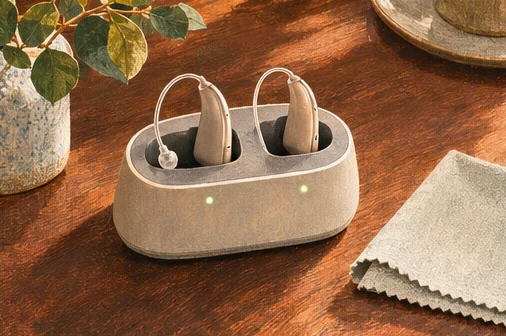
Place the H6 left and right units in their matching wells. Use the indicator descriptions in the H6 manual to check each side separately. The case’s own power indicator answers a different question. A photo taken before moving the devices can help you compare the lights.
Change one thing at a time
If the indicator on one side does not respond, remove and reseat that unit as directed. Check for a visible obstruction. Follow the manufacturer’s cleaning directions and keep liquid out of the charging area. Observe the same indicator again.
Keep the result with the model name
Record which side responded, how long it stayed in the case and whether it worked after removal. Different cases use different indicator patterns. Use the guide for the model in your hand before interpreting another color or flash sequence.
Models to explore
- Starkey Edge AI RIC RT — Separate a flat battery from a phone connection that dropped.
- Rexton Reach R-Li T — Compare runtime with and without five hours of streaming.
- Sony CRE-C20 — Check seating in a rechargeable canal-device case.
- Audien Atom Pro 2 — Check that the charge and control feedback are easy for you to recognize.
- Sennheiser All-Day Clear — Try a full day of calls on one charge.
What to do next
Match the case and the indicator to the H6 manual before changing a phone or app setting.
Sources
Compare hearing aids by fit, calls, battery and budget
Published by Hear With Joy. Flysound commissions this journal. How we check evidence